How to disable the crappy new Chrome OS keyboard shortcut viewer

Chrome OS is undergoing aesthetic and functional shifts as its design philosophy changes to more closely resemble Android's. Some tweaks, like the OS's handy and intuitive visual keyboard shortcut viewer being replaced by the above mess, have been pretty universally panned. Thankfully, there's a Chrome flag to revert the viewer to its previous (superior) state.
The new layout was introduced with Chrome 66. To get the old one back, type chrome://flags into Chrome's address bar. On the flags page, search for and change a flag called "Enable Keyboard Shortcut Viewer" from Default to Disabled. After a reboot, you should be back up and running with the old goodness.
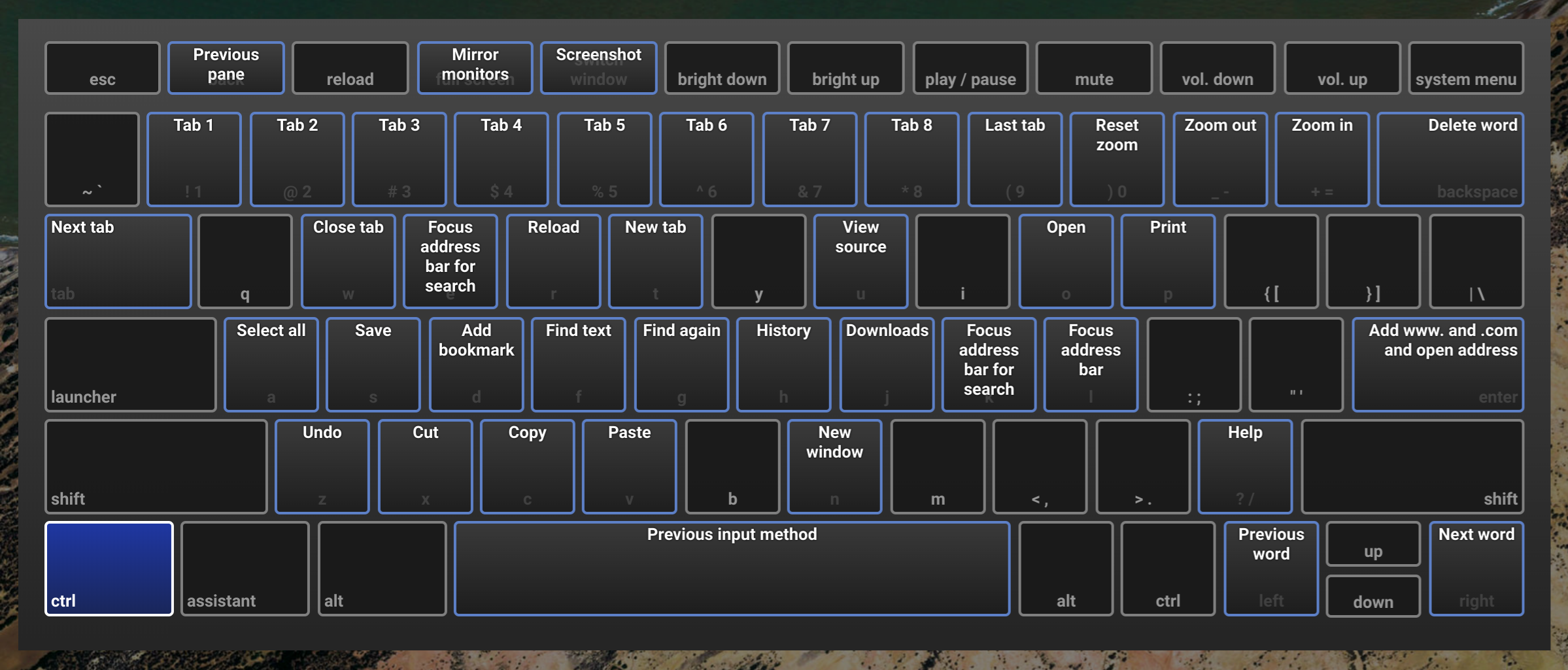
This doesn't look as nice, but it makes more sense.
Pressing ctrl + alt + / will bring up the keyboard shortcut viewer. While the new look may be prettier (or at least more in line with the current state of Material Design), it's not as useful: searching for a shortcut is great if you already know that shortcut exists, but it's a poor way to discover what you can do. A more agreeable solution might be to slap a new coat of paint on the old layout and supplement it with a search function.
The merit of many of Chrome OS's upcoming changes—like its more "Material" quick settings menu or the browser's revamped tab design—is a matter of personal preference. This one, though, seems like more of an oversight. Here's hoping Google listens to feedback on this one—or at least the old viewer remains an option.
#Google #Android #Smartphones #OS #News @ndrdnws #ndrdnws #AndroidNews


